Image to text prompt is a completely reverse thinking of AI. Mostly, we put a prompt to create an image. But here, with the rise of Artificial Intelligence, it has completely transformed how we interact with both text and visuals.
We all know about text-to-image prompts in AI tools like Mid journey and DALL·E, but few people know about the reverse procedure, image-to-text prompts
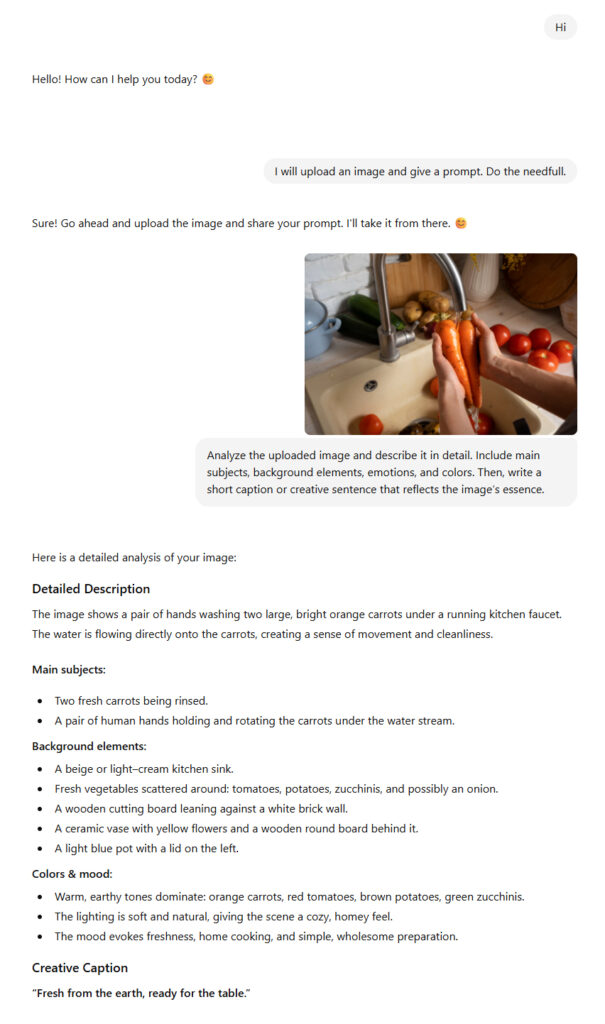
Simply put, an image-to-text prompt allows you to upload or describe an image, and the AI interprets it to generate a meaningful textual output. This might include a detailed description, a caption, or even a story inspired by the image.
It will be helpful for marketing and bloggers in the education and creative sectors.
In this blog post, we’ll explore what image to text prompts are, how they work, provide real examples, and discuss how we can utilize them to enhance creativity and productivity.
Prompt Snapshot of Image to text prompt
| Feature | Details |
| Prompt Name | Image to Text Prompt |
| Best For | Creators, educators, marketers, bloggers, developers |
| Tools Used | ChatGPT with Vision, Gemini, Claude, Hugging Face, Pixtral |
| Outer Type | Descriptions, captions, summaries, creative text |
| Main Type | Converts visuals into clear, meaningful language instantly |
Copyable Prompt Block
Here’s a ready-to-use image-to-text prompt that works perfectly with most AI tools capable of visual input:
You can easily adapt this prompt based on your needs. For example:
- For marketing: “Describe this product image and write a catchy social media caption.”
- For blogging: “Generate a detailed description suitable for an article.”
- For accessibility: “Explain this image clearly for visually impaired users.”
Each variation ensures your AI output serves a specific purpose while maintaining natural readability.
How the Prompt Works for Image to text prompt
At first glance, it might seem magical that AI can “see” an image and describe it so accurately. However, the process behind image to text prompts involves multiple advanced steps.
- Image Analysis: The AI uses computer vision to scan the uploaded image, identifying objects, people, colors, and backgrounds.
- Feature Recognition: Through pattern detection, it recognizes specific details like “a smiling woman,” “a forest,” or “a car on a highway.”
- Contextual Understanding: The AI then determines the relationship between elements — for instance, whether it’s a professional photoshoot or a candid moment.
- Language Generation: Finally, the language model converts this understanding into fluent text that captures meaning and emotion.
Because the model integrates both visual and linguistic intelligence, it can describe not only what’s visible but also imply context — such as mood, action, and setting.
Real Example Output of Image to text prompt
User Input:
Let’s explore a practical example.
Prompt: “Describe this image in a natural, descriptive way and create a caption.”
(Imagine uploading a photo of a person standing in front of a mountain during sunrise.)
ChatGPT Output of Text Prompt:
AI Output Example:
“A lone traveler stands at the edge of a mountain ridge, watching the first rays of sunrise light up the valley below. The sky glows with shades of orange and pink, creating a breathtaking scene of peace and adventure.”
Caption Suggestion:
“Every sunrise brings a new beginning — chase yours.”
As you can see, the output flows beautifully. It not only identifies objects but also conveys emotion, turning a simple image into a story.
Practical Use Cases
Because image-to-text prompts are so versatile, they can be applied in almost every field imaginable. Here are some of the most effective ways to use them:
Blogging and SEO
AI can generate image descriptions and alt text that make your articles more accessible and SEO-friendly. Moreover, well-written descriptions improve engagement by connecting visual content with written storytelling.
Social Media and Marketing
Create instant, emotion-driven captions for Instagram, Pinterest, or LinkedIn. Instead of guessing what fits, let AI generate persuasive text that matches your brand’s tone.
E-commerce and Product Descriptions of text Prompt
Use product images to automatically generate detailed product descriptions, reducing writing time and improving consistency across listings.
Education and Research
Teachers can use image to text tools to help students develop visual literacy, while researchers can generate concise summaries of visual data for reports.
Accessibility of text Prompt
Perhaps most importantly, AI-generated image descriptions make content accessible to visually impaired users, allowing them to understand visuals through language.
Therefore, this technology isn’t just creative — it’s inclusive and empowering.
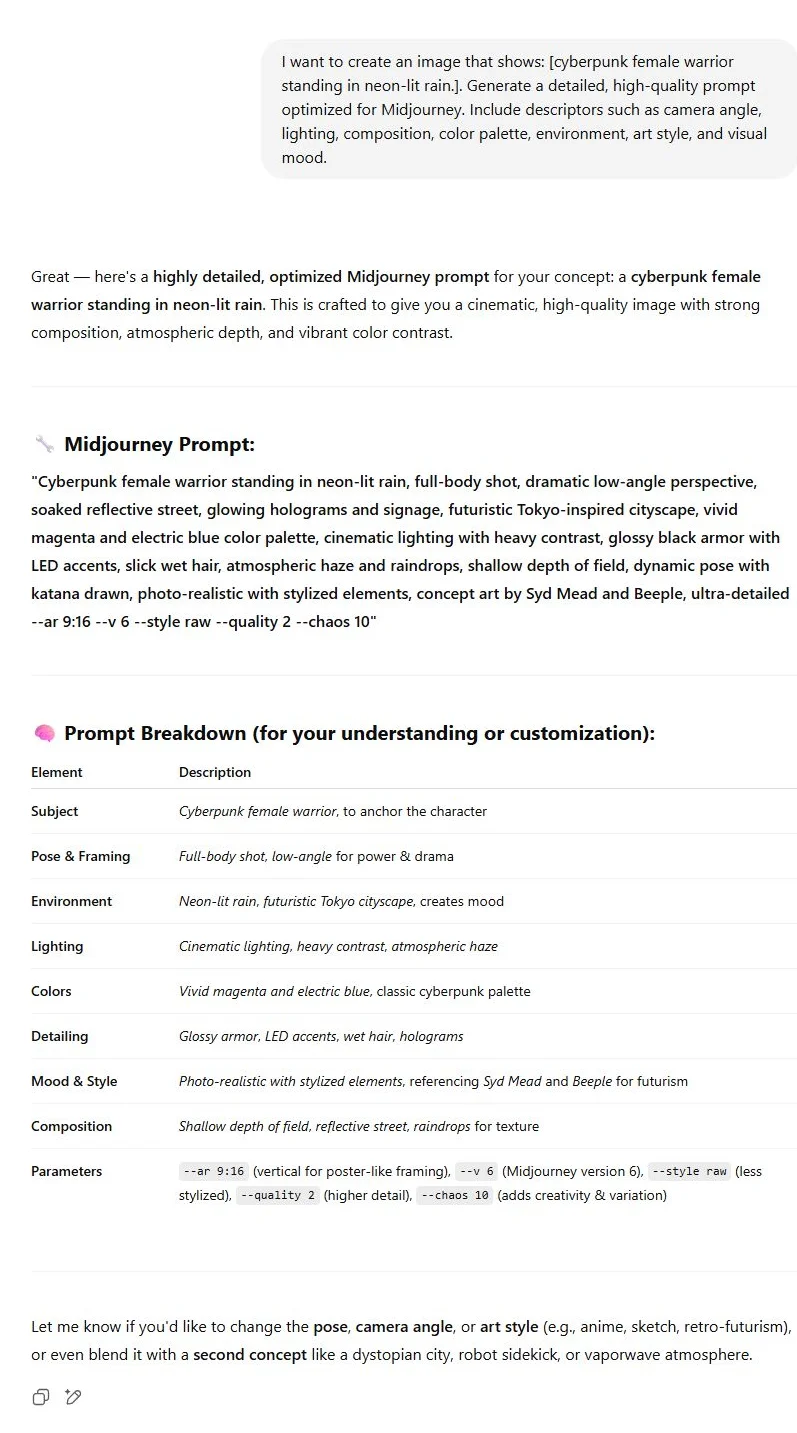
Whether you’re a creator or marketer, this Combo of ChatGPT and Midjourney saves your hours of guesswork and delivers studio-quality visuals with just a few moments.
Tips to Customize or Improve the Prompt
- Be Clear About the Goa: Specify whether you need a caption, description, or summary.
- Set Tone and Style: Add instructions like “in a poetic tone” or “in a professional style.”
- Include Context: Mention if the image is for a blog, advertisement, or educational post.
- Control Length: Use limits such as “Describe in 3 sentences” or “Write a 150-word analysis.”
- Add Emotions or Keywords: Guide the AI toward desired moods — cheerful, mysterious, elegant, etc.
Best Practices
To ensure your results remain accurate and human-like, keep these best practices in mind:
- Use high-quality, clear images — AI performs best with distinct visual details.
- Avoid overly complex scenes that confuse object recognition.
- Combine with editing tools to refine grammar or tone.
- Experiment with multiple tools like Gemini or Claude for comparison.
- Always fact-check AI outputs before using them publicly.
Moreover, combining visual and text-based AI tools allows you to build a creative workflow — for example, converting images to text, then text back to image, for endless inspiration.
Related Prompts or Content
- [Prompt: Act as my personal assistant]
- [Prompt: Act as an AI art prompt generator.]
- [Prompt: ChatGPT Sites]
- [Prompt: Act as an expert in [your topic]]
- [Prompt: Act as an AI art prompt generator.]
- [Prompt: Act as an expert Midjourney prompt engineer. ]