
Smoke Effect with AI Prompts: Where Atmosphere Starts to Matter
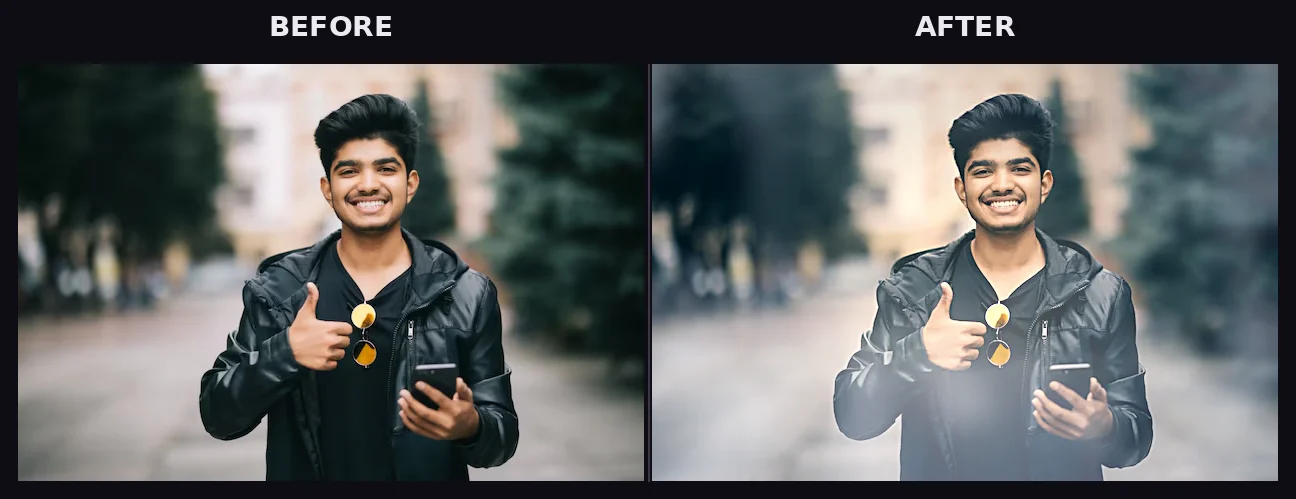
This Smoke Effect with AI prompt can be generated, that instantly add depth, mood, and cinematic atmosphere to your visuals. that instantly add depth, mood, and cinematic atmosphere to your visuals. Whether you're creating artwork, designs, or social media content, smoke can make your images feel alive.
KEY FEATURES & BENEFITS
Featured Prompt (Copy & Use)
Create a highly detailed [subject] with a cinematic smoke effect. The scene should include soft, flowing smoke surrounding the subject, with realistic lighting, depth, and shadows. Use dramatic atmosphere, volumetric fog, and subtle glow. Style should be [style: realistic / cyberpunk / fantasy / dark art]. High resolution, ultra-detailed, 4K, sharp focus, professional composition.
How to Use This Prompt
- Copy the prompt above.
- Paste it into your AI tool (ChatGPT, Midjourney, DALL·E, etc.).
- Replace [subject] — e.g. girl, car, logo, dragon.
- Replace [style] — e.g. realistic, neon, fantasy.
- Run the prompt.
- Adjust details if needed (more smoke, different lighting, etc.).
Example Output
INPUT
Subject: "A warrior" · Style: "dark fantasy"
OUTPUT
A powerful warrior standing in a battlefield, surrounded by thick swirling smoke, glowing embers in the air, dramatic lighting casting shadows across the armor, dark fantasy style, ultra-realistic, cinematic composition.
Customization Tips
- Add colors to smoke → "blue smoke", "neon purple smoke"
- Control intensity → "light mist" or "heavy dense smoke"
- Add motion → "smoke drifting slowly" or "exploding smoke effect"
- Combine with lighting → "backlit smoke" or "glowing edges"
Use Cases
- Designers (posters, branding visuals)
- Social media creators (Instagram, thumbnails)
- Game artists (characters, environments)
- Video creators (scene concepts, storytelling)
- Students learning AI design
Pro Tips
- Combine smoke with lighting effects for dramatic visuals
- Use dark backgrounds to make smoke stand out
- Ask AI for variations to explore different styles
- Layer prompts for more advanced results
FAQs
Q1. Can beginners use this prompt?
Yes, it's simple and customizable for anyone.
Q2. Which AI tools support this prompt?
It works with most tools like Ideogram Ai, Leonardo AI, Deep Dream Generator
Q3. Can I use this for commercial projects?
Yes, but always check the AI tool's licensing terms.
Q4. How do I make the smoke more realistic?
Add keywords like "volumetric lighting", "realistic fog", and "high detail".