
Generate prompts effectively, because they shape how AI understands and responds. Whether you’re using ChatGPT, Midjourney, DALL·E, or any other AI resource, the secret to unlocking its full potential is rooted in the way you generate prompts.
Interestingly, many users interact with AI tools daily without realizing that poor results are often caused by imprecise or unclear guidance. That’s where prompt generation becomes a crucial skill. Indeed, as AI tools become more available, the skill to create effective prompts is evolving into a digital superpower.
Prompt Snapshot (Quick Overview Table)
| Feature | Details |
| Prompt Name | Generate Prompts |
| Best For | ChatGPT, Claude, Midjourney, DALL·E, Bard, Gemini, Copilot, etc. |
| Works With | ChatGPT (or Claude) → Midjourney |
| Prompt Type | Generate Prompts |
| Use Case | Guide AI to deliver accurate, creative, or professional responses |
Copyable Prompt Block
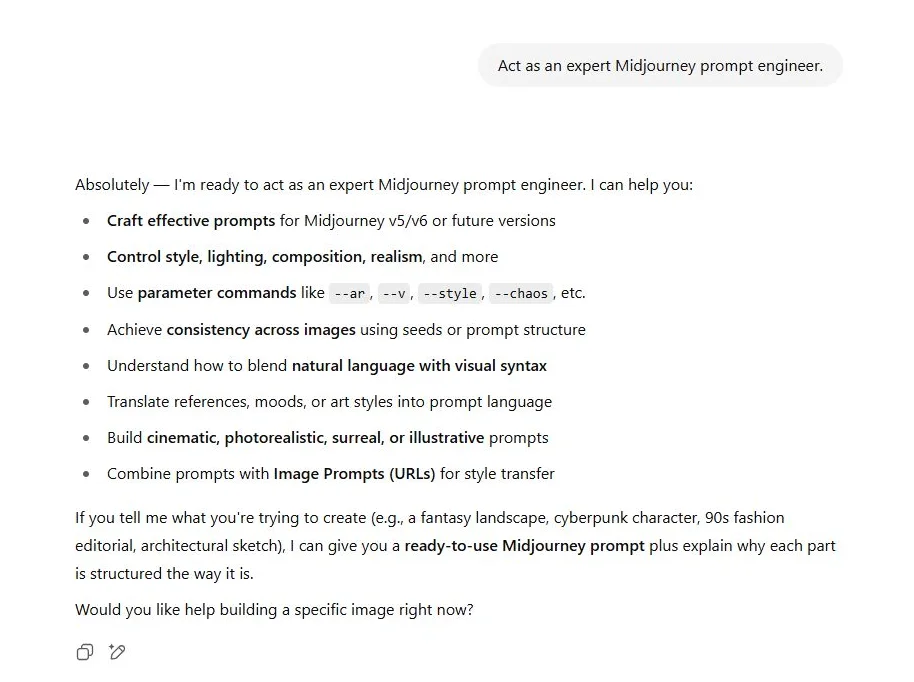
Copy the above prompt and paste it next to the response you get from the Midjourney prompt. You will get the following probable result.

How the Prompt Works
At a glance, generating prompts may look simple. However, under the surface, it’s an intelligent process that influences how the AI interprets your intent, responds, and formats the result.
Let’s break it down:
- User Intent: First, the AI needs to know what you’re trying to accomplish—are you writing, creating, coding, or analyzing?
- Clarity & Detail: Next, by generating a prompt that includes tone, target audience, or structure, you give the AI a better understanding of your goal.
- Context Framing: Additionally, assigning a role (e.g., “act as a teacher” or “act as a marketing expert”) gives the AI context, improving its relevance and focus.
- Constraint Design: Finally, elements such as “keep under 500 words” or “use bullet points” help format the AI’s output properly.
Consequently, a strong prompt doesn’t just ask—it directs. As a result, you get fewer errors, faster results, and higher-quality output.
Real Example Output
User Input:
Imagine you’re a content creator and want to generate blog outlines on tech trends.
Your prompt:
“Act as a content strategist. Generate 3 blog post outlines on the topic ‘AI Tools for Designers.’ Each outline should include an intro, 5 subheadings, and a CTA.”
ChatGPT Output:

N.B. –Because the prompt was detailed, the AI delivered a relevant and structured output that’s instantly usable.
Practical Use Cases of Prompts Generation
Let’s explore how prompt generation helps in various industries and creative tasks:
Writing & Blogging
- “Generate 5 SEO-friendly blog ideas on the topic ‘AI in Education.’”
- “Write a 1000-word blog on ‘How ChatGPT Helps Small Businesses’ with headings and transition words.”
Image Generation
- “Create a surreal forest landscape with glowing mushrooms, photorealistic style – Midjourney prompt.”
- “Design a vintage travel poster of Mars with bold colors and typography – DALL·E prompt.”
Data & Analysis
- “Summarize the key insights from this 5-paragraph report.”
- “Generate a Python script to analyze sales data from an Excel sheet.”
Marketing Content
- “Write an Instagram caption for a new AI writing tool launch. Keep it witty and under 100 characters.”
- “Create an email marketing sequence for a new productivity app using AI.”
Tips to Generate Better Prompts
Although tools like ChatGPT are user-friendly, the quality of your prompts determines your experience. Here’s how to level up your prompt game:
- Be Specific with Your Goal
→ Instead of: “Write about AI,” say “Write a 1200-word blog about the benefits of using AI in healthcare with an educational tone.” - Add Formatting Instructions
→ Use phrases like: “Add headings,” “Use bullet points,” or “Write in paragraph format.” - Assign a Role
→ Example: “Act as an email copywriter” vs. “Write an email.” The former gives AI a persona. - Give Output Length or Style
→ Phrases like: “Use a persuasive tone,” “Keep it under 300 words,” or “Make it conversational” help guide tone and structure. - Iterate & Improve
→ Don’t expect the first try to be perfect. Instead, refine the prompt based on what worked or didn’t.
Moreover, you can use prompt generators and libraries (like aiforwebs.com) to get inspiration and customize prompts for any tool or use case.
Best Practices of Generate Prompts
To summarize, let’s go over the most effective practices when generating prompts:
Use this approach when generate Prompts
- You want accurate, creative, or well-formatted output
- You’re working on large projects like reports, blogs, or courses
- You need consistent voice and style across outputs
Avoid vague prompts such as
- “Tell me about marketing” (too open-ended)
- “Write something funny” (no context or direction)
Pro Tip
The AI doesn’t read your mind—it follows your lead. Therefore, the more direction you provide, the better your results will be.
Related Prompts or Content
- [Prompt: Act as my personal assistant]
- [Prompt: Act as an AI art prompt generator.]
- [Prompt: ChatGPT Sites]
- [Prompt: Act as an expert in [your topic]]
- [Prompt: Act as an AI art prompt generator.]
- [Prompt: Act as an expert Midjourney prompt engineer. ]